The 1VM engine
Most virtualization apps on the Mac either wrap Apple’s Virtualization.framework or bundle QEMU. 1VMTool does the first and, for the guests where that is not enough, runs its own virtual machine monitor built directly on Apple’s Hypervisor.framework. This is what that means, what it buys you, and where it is still experimental.
The short version
1VMTool ships two engines. Apple’s Virtualization.framework runs Linux and macOS guests and is the default. The 1VM engine — a first-party hypervisor on Hypervisor.framework — runs Windows on ARM and, optionally, Linux. It replaced a downloaded QEMU entirely: there is no QEMU process and no QEMU code in the tree.
What you get from that: nothing to download before Windows works, one process instead of two, the guest display composited directly into a Metal window, and no GPL in the bundle. What you give up: it is young. Windows on it is experimental and has not passed its soak certification, and there is no accelerated 3D.
Two engines, one product
These are not competing implementations of the same thing. They sit at different levels of Apple’s stack and are good at different jobs.
| Virtualization.framework | The 1VM engine | |
|---|---|---|
| Apple API | Virtualization.framework — high level, Apple supplies the device model | Hypervisor.framework — low level, we supply the device model |
| Guests | Linux, macOS | Windows on ARM, Linux |
| Default for | Linux and macOS | Windows |
| macOS guests | Only here, permanently — Apple’s accelerated path is not reproducible | Never |
| Rosetta | Available — it is a Virtualization.framework feature | Not available |
| Maturity | Apple-maintained and mature | Experimental — see the tiers below |
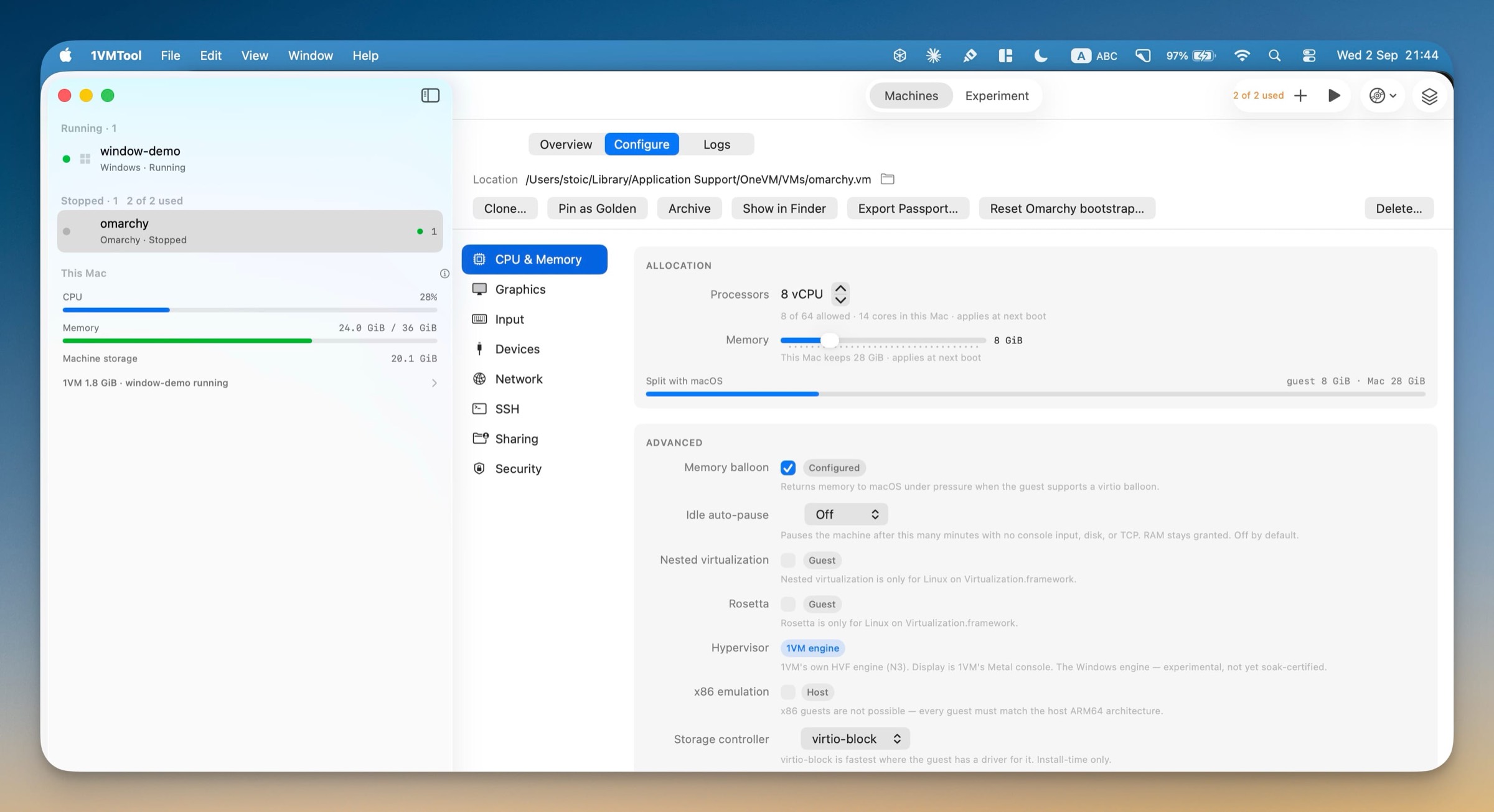
The rule of thumb: if Virtualization.framework can do your job, it should. The 1VM engine exists for the jobs it cannot.
What the engine actually is
Hypervisor.framework gives you very little and asks for a lot. It hands over the ability to create a virtual machine, map memory into it, run virtual CPUs and receive an exit when the guest does something that needs handling. Everything a guest recognizes as a computer, you build.
The core
One host thread per virtual CPU, guest memory mapped in at a 16 KiB granule, and Apple’s in-kernel GICv3 interrupt controller — which removes the single largest chunk of writing a hypervisor from scratch, because the interrupt distributor does not have to be emulated in userspace. Power management is the guest calling PSCI, handled in the hypervisor call handler. When the guest touches a device address, the engine decodes the faulting instruction and dispatches it.
The platform
Firmware is stock edk2, which is BSD-licensed. It is reused completely unmodified — not forked — which keeps firmware out of the tree entirely. Above it, the engine generates its own ACPI, flattened device tree and SMBIOS tables to describe the hardware it is presenting. For Windows this is the unforgiving part: a wrong entry in one of those tables is a black screen that looks exactly like success minus one field.
The devices
Every virtual device is a first-party model written from its public specification:
- Storage — NVMe for the Windows system disk, virtio-blk and virtio-scsi for Linux
- USB — an xHCI controller with HID keyboard, tablet and mouse, plus mass storage for installer media. The heaviest device in the engine.
- Network — virtio-net over a first-party user-mode NAT stack with DHCP, DNS and TCP/UDP port forwarding, or Apple’s vmnet
- Display — ramfb so firmware and Windows Setup are visible before any driver loads, then virtio-gpu
- The rest — PL011 serial, PL031 real-time clock, TPM, virtio input, console, RNG, vsock, balloon and virtiofs
Windows binds its own in-box drivers to NVMe, xHCI and PCIe, which is precisely why those are the devices that had to be built: they are the ones a guest expects to find without being given anything.
Why it replaced QEMU
Windows used to run by driving a QEMU process the user had to download. That worked. It was replaced for four reasons, none of which was performance.
Stated plainly so this does not read as a sales pitch: QEMU worked, and building a second hypervisor is the largest single undertaking in this codebase. The hard part was never Linux — it was Windows, where strict ACPI, NVMe and xHCI correctness is most of the calendar.
What is genuinely different
Three things follow from owning the engine rather than driving someone else’s, and they are the honest list.
- Nothing to download. Windows on ARM works from the app itself. There is no hypervisor to install alongside it, no Homebrew step and no version of an external tool to keep matched to the app.
- One process, so the display is the compositor. The guest framebuffer is presented into a Metal-backed window directly rather than being bridged out of another process. The same single-process design is what makes
1vm suspend— write guest memory to disk, power off, and resume later from exactly there — a thing the engine can do at all. - No GPL in the bundle. The app is a signed, closed-source Mac application with no copyleft components to reason about, which is the whole reason the engine could be bundled rather than downloaded.
What is not different: raw CPU speed. Both engines run guest instructions natively on the Apple silicon cores through Apple’s hypervisor. Nobody is emulating instructions, so nobody is winning a benchmark because of it. Any page claiming the 1VM engine is “faster than QEMU” is one you should distrust — including this one, which is why it does not.
The clean-room rule
The license story is the entire point, and it only holds if the discipline holds. The rule the codebase enforces on itself:
Allowed
- Apple’s own frameworks
- Stock edk2 firmware, BSD-licensed, reused unmodified
- Device models written from public specifications — virtio from OASIS, NVMe, xHCI, PCIe, ARM technical reference manuals
- Comparing against another implementation’s observable output, such as the ACPI tables it emits
Never
- Transcribing GPL device code
- Deriving an implementation from GPL source
- Forking or modifying the firmware
- Reintroducing QEMU as a runtime dependency
A single copied file would turn “our engine” back into a derivative work — the exact problem the engine was built to escape.
Where it honestly stands
The engine ships in numbered capability tiers, each with a real exit criterion rather than a milestone that flatters itself. This is where it is:
- N0–N1
Core and firmware
shippedvCPU loop, memory mapping, the in-kernel interrupt controller, timers, power management and MMIO decoding — then stock edk2 firmware booting to a UEFI shell on the platform the engine presents.
- N2
Linux parity
where it is nowAn ARM64 Linux guest installs and runs with virtio block, network and display, shown in the 1VM console. Shipping and usable — but Virtualization.framework is still the default Linux path, because it is more mature and offers Rosetta.
- N3
Windows boots
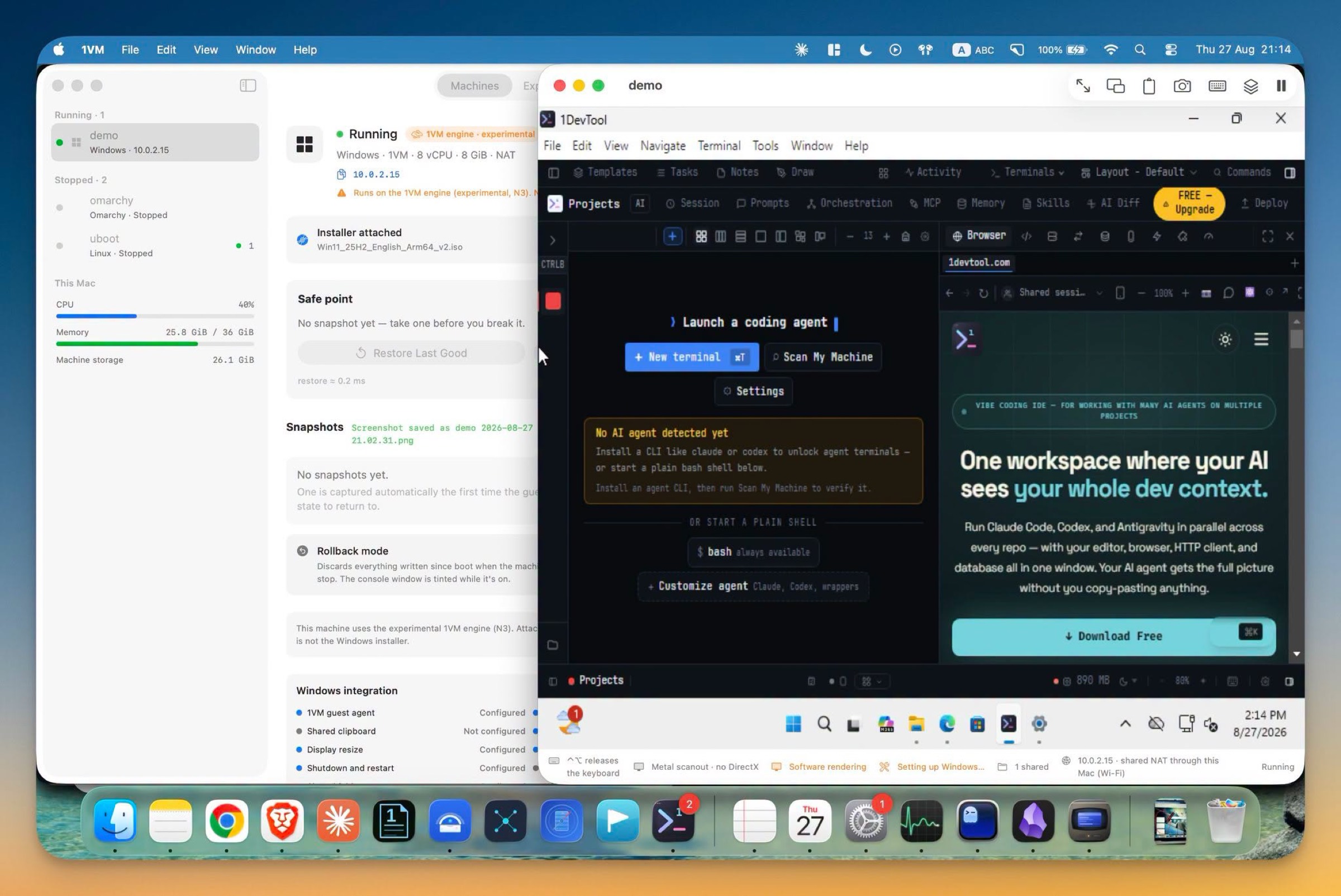
where it is nowWindows 11 ARM completes an unattended install on NVMe and xHCI using in-box drivers, reaches a desktop, and takes keyboard and mouse input. New Windows machines default to this engine. This is where the product sits today.
- N4
Windows certification
not yetClean install, full stop, cold reboot, reset loops and a 24-hour soak all matching the old path. Not passed — which is exactly why the app labels the engine experimental rather than supported.
- N5–N6
Native GPU, warm snapshots
not yetThe in-process GPU device with zero-copy access to guest memory, and in-memory snapshot and restore. These are the strategic payoff the engine was built to make possible.
So: Windows boots and reaches a desktop on an engine with no external dependency, and that is real. It has not passed the certification gates that would let it stop being called experimental, and the app does not pretend otherwise — the engine picker states what each engine actually does at its current tier rather than showing one engine’s promises for another.
Pros and cons
What you gain
- Windows on ARM with nothing to download and no external hypervisor to maintain
- One process — the guest display is composited directly into a Metal window
1vm suspendand resume, saving guest memory to disk and picking up where it left off- ramfb, so Windows Setup is visible before any display driver is installed — no black-screen install
- A TPM device, which the Virtualization.framework path does not expose
- First-party user-mode NAT with DHCP, DNS and loopback port forwarding
- No GPL components in the bundle, and one vendor accountable for the whole stack
What it costs
- Experimental. Windows is at N3 and has not passed cold-reboot, reset-loop or 24-hour soak certification.
- No accelerated 3D. Accelerated scanout, not a GPU — no DirectX, no compute, and a single display head.
- One VM per process. Apple’s Hypervisor permits a single VM per process and Virtualization.framework holds that slot, so a second guest cannot share it.
- No Rosetta. That is a Virtualization.framework feature and does not cross over.
- No macOS guests. Those stay on Virtualization.framework permanently.
- ARM64 only. No x86 guests, on either engine — nothing here emulates a foreign instruction set.
- Windows networking needs virtio-win. Red Hat’s driver ISO, attached at install time.
- Young code. A hypervisor written recently has fewer miles on it than one with twenty years of bug reports.
Which engine should you use
In almost every case the app has already chosen correctly and you should leave it alone. For completeness:
- Running macOS
- Virtualization.framework. There is no choice to make — it is the only engine that can, and that will not change.
- Running Linux
- Virtualization.framework, the default. It is more mature, supports shared folders and clipboard more completely, and it is the only path with Rosetta for x86 Linux binaries. Choose the 1VM engine only if you specifically want the first-party device path — for example the bundled Omarchy image, which direct-boots its kernel on this engine.
- Running Windows on ARM
- The 1VM engine, which is the default for new Windows machines. The Virtualization.framework fallback exists but is genuinely worse for Windows: no TPM device, and Setup is often a black screen until a display driver binds. Just know that “experimental” on this engine is a real label, not a disclaimer.
Frequently asked questions
What is the 1VM engine?
It is a virtual machine monitor written from scratch in Swift 6 on top of Apple's Hypervisor.framework. It provides the CPU and memory virtualization, the interrupt controller wiring, the firmware tables and every virtual device a guest sees — around 25,000 lines across 68 files. It sits alongside Apple's higher-level Virtualization.framework rather than replacing it.
Why does 1VMTool have two engines?
They are good at different things. Virtualization.framework is Apple's own high-level path: it is mature, it runs Linux and macOS guests well, and it is the only way to run a macOS guest at all. But its device model decides what is possible, and it does not expose the pieces needed for Windows on ARM or an in-process GPU device. The 1VM engine exists for those. macOS guests stay on Virtualization.framework permanently.
Does 1VMTool use QEMU?
No. It used to drive a downloaded QEMU for Windows; that was retired deliberately and there is no QEMU process and no QEMU code in the source tree. Machines created under the old path have their configuration migrated to the native engine automatically — the disk image is unchanged.
Why not just keep using QEMU?
Four reasons. QEMU is GPL, so it could never ship inside the app and every Windows user had to download it separately. The GPU device would have needed a QEMU fork. A separate process meant driving it over a control socket and bridging the display instead of compositing it directly. And its release cadence and macOS support were not ours to fix.
Is the 1VM engine faster than QEMU?
That is not the claim, and the project's own documentation forbids making it. Both run guest code natively on the CPU through Apple's hypervisor, so raw CPU speed is broadly the same. The wins are structural: nothing to download, one process instead of two, the display composited directly, and a license story that allows bundling.
Is it production ready?
Not yet, and the app says so on every screen that offers it. Windows on the 1VM engine is at tier N3 — it installs and boots to a desktop, but the N4 certification gates (cold reboot, reset loops, a 24-hour soak) have not been passed. Linux on it is at N2 and is not the default Linux path. Treat it as experimental.
Can I run two virtual machines on the 1VM engine at once?
Not in the same process. Apple's Hypervisor allows one VM per process, and Virtualization.framework already occupies that slot. This is a platform constraint rather than an implementation gap.
Does the engine give me GPU acceleration?
No. The guest display is presented through a Metal-backed window, which is accelerated scanout of the guest's framebuffer, not a virtual GPU. There is no DirectX, no 3D and no compute, and the console is a single display head. An in-process GPU device is the reason the engine was built, but it is a later tier.
Does using the engine mean GPL code in the app?
No, and avoiding that is much of the point. The hypervisor is Apple's API. The UEFI firmware is stock edk2, which is BSD-licensed and reused unmodified rather than forked. Every device model is written from public specifications — virtio from OASIS, plus NVMe, xHCI, PCIe and the ARM technical reference manuals. QEMU's GPL device code is never transcribed.
See the engine run
Both engines ship in the same app, and every screen states its limits before you commit to anything.